DEVOPSTECHSOFTWARES

Web development

Web Application Development for Dashboards, Workflows, SaaS Platforms and Business Systems

Build secure browser-based software that handles users, roles, records, approvals, transactions, integrations, dashboards and reporting from one reliable web platform.

Custom web application dashboard with business workflows and reporting
A web application should combine reliable backend logic, clear user permissions, usable workflows and reporting that helps the business operate.
accounts, roles, permissions and secure access
Users
forms, approvals, statuses and notifications
Workflow
APIs, databases, integrations and business rules
Backend
dashboards, exports, audit trails and analytics
Reporting

Browser-based business software

A web application is not a website with extra pages. It is software people use to do work

A serious web application has users, roles, permissions, records, rules, tasks, notifications, integrations and reports. It may serve customers, staff, partners, vendors or administrators, but it has to handle real operational behavior, not only look good in a demo.

Web apps fail when teams focus on screens before understanding workflows and data. A clean interface is important, but the hidden architecture matters just as much: validation, backend logic, API boundaries, database structure, audit trails, performance and security.

DevOpsTech Softwares builds web applications for portals, dashboards, SaaS products, workflow systems, admin platforms, ecommerce operations and internal business tools. We plan them around usability, maintainability and long-term business value.

Before committing to a delivery path, it may help to read Web Application vs Website vs Web Portal, Progressive Web App vs Native Mobile App and Software Architecture Design for Growing Businesses.

Service at a glance

Best for
Businesses that need browser-based systems for staff, customers, partners, administrators or operational teams
Typical outputs
Custom web apps, dashboards, workflow systems, SaaS platforms, admin panels, portals and API-backed interfaces
Core decisions
User roles, data model, workflows, APIs, integrations, security, reporting, performance and support model
Integration context
M-Pesa, eTIMS, SMS, email, CRM, ERP, accounting, analytics, BI dashboards and third-party APIs
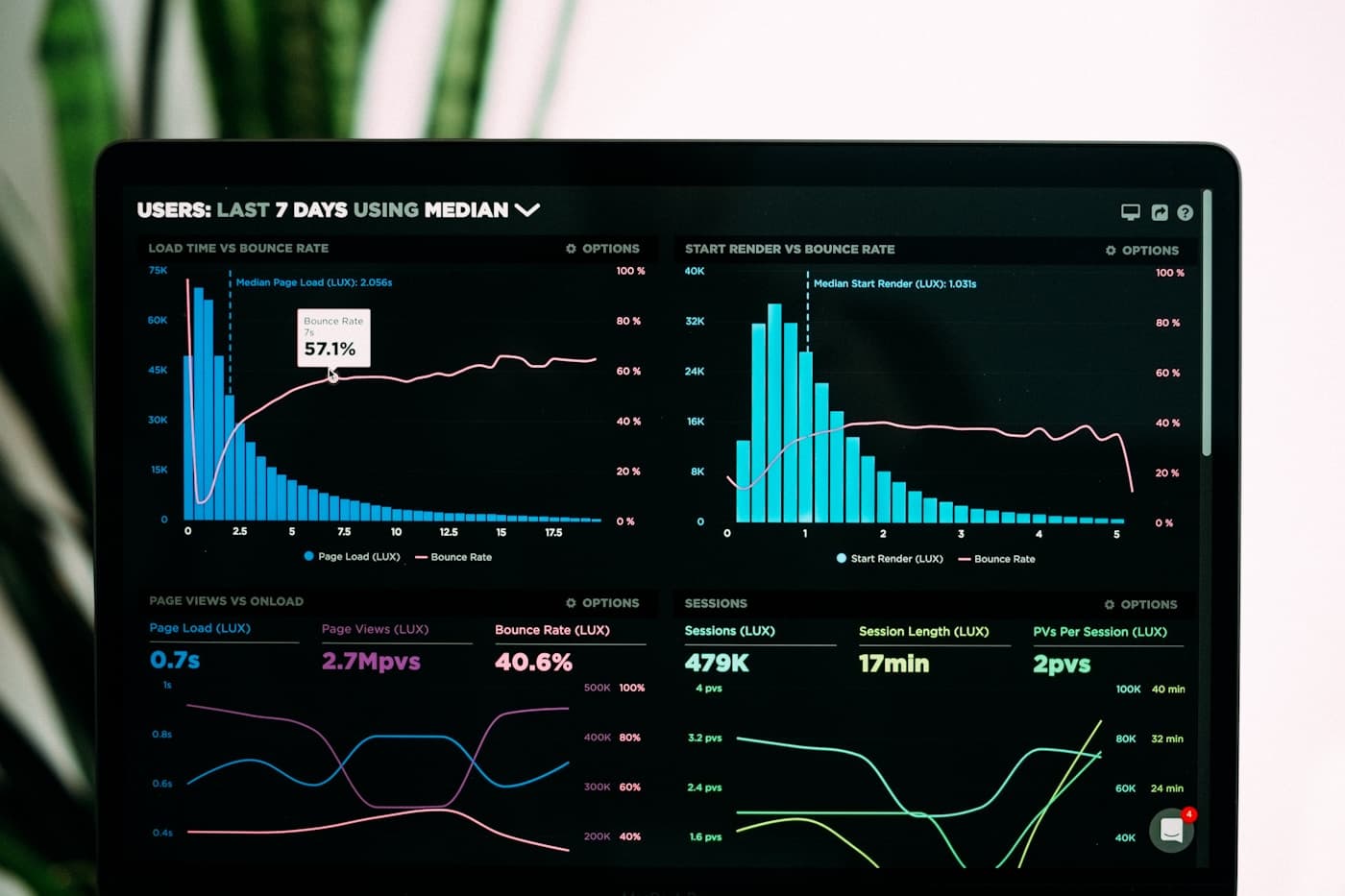
Custom web application dashboard with business workflows and reporting
Web apps are strongest when user experience, data model, API design, security and support are planned as one system.

Web app architecture decisions

What a web application must define before development starts

Web app scope becomes expensive when permissions, data, integrations and workflow states are discovered too late. We define the operating model before engineering the product.

AreaWhat we decideWhy it matters
User rolesCustomers, staff, managers, admins, partners, vendors, members or external users and what each group can view or change.Permissions affect navigation, data visibility, workflows, security, reporting and support.
Workflow modelForms, submissions, approvals, statuses, comments, notifications, exceptions, escalations and completed records.The application should reflect how work moves across the business, not only store data.
Data modelCore entities, relationships, validation rules, imports, exports, audit history and reporting fields.Clean data structure is the foundation for reliable dashboards, automation and integrations.
Backend and APIsBusiness logic, authentication, API contracts, error handling, logs, integrations and future mobile access.The backend determines how dependable and expandable the web application becomes.
Interface designNavigation, dashboards, tables, filters, forms, empty states, validation messages and responsive behavior.Users adopt systems that make daily work clearer and faster.
Operations and supportDeployment, environments, monitoring, backups, documentation, user support, releases and maintenance.A web application becomes part of operations after launch, so ownership must be planned.

Capability depth

What this service covers

01

Custom business web applications

We build browser-based systems around specific business workflows, records, users and reporting requirements.

  • Operations systems, approval platforms, service tools, reporting dashboards and internal workspaces.
  • Role-based navigation, task queues, data entry, validation, search, filters and audit trails.
  • Workflow-specific modules for finance, sales, HR, inventory, service, logistics or management.

02

Admin dashboards and management systems

We develop admin interfaces that help teams manage users, records, approvals, reports, content and system configuration.

  • Dashboard metrics, tables, filters, exports, detail views, forms and admin actions.
  • User management, permissions, content controls, settings and operational visibility.
  • Management reporting that connects daily work to decisions.

03

SaaS and multi-user web platforms

We build SaaS-style web apps with account structures, roles, subscription logic, plan limits and support tools where needed.

  • Tenant models, customer accounts, team roles, onboarding and billing workflows.
  • Plan limits, usage tracking, admin consoles, notifications and customer support views.
  • Architecture decisions that allow the product to grow beyond the first release.

04

API-backed frontend and backend development

We build the frontend and backend as a connected system so the web app can support integrations, mobile apps and future products.

  • API design, database structure, authentication, validation, business rules and error handling.
  • Frontend state, form behavior, loading states, errors, permissions and responsive UI.
  • Documentation and boundaries that make future extension safer.

05

Integration-heavy web applications

We connect web apps to the services that make them operational, from payments to CRM, ERP, analytics and messaging.

  • M-Pesa, payment gateways, eTIMS / KRA, SMS, email, CRM, ERP, accounting and third-party APIs.
  • Sync rules, reconciliation support, logs, failure handling and administrative review screens.
  • Connected workflows for transactions, notifications, reports, approvals and customer updates.

06

Web app modernization and improvement

We improve existing web apps that are slow, confusing, hard to maintain, poorly integrated or risky to extend.

  • UX cleanup, performance improvements, codebase review, dashboard redesign and workflow fixes.
  • Security, dependency, API, database and deployment improvements.
  • Roadmaps for refactoring, rebuilding modules or moving to a cleaner architecture.

Engineering standards

Serious software needs controls, not only features

01

Workflow before screens

We define the business process, user roles, data and decisions before designing interfaces so the app solves real operational needs.

02

Security and permissions by design

Authentication, authorization, protected routes, sensitive actions and audit trails must be planned early, not patched on later.

03

Backend foundations that can grow

Databases, APIs, validation, logs and integrations should be structured so the app can support future features without becoming fragile.

04

Usability for repeated work

Dashboards, forms, tables and workflows must be efficient for users who will rely on the system every day.

Delivery path

A controlled route from idea to supported software

01

Map users, workflows and business rules

We document who uses the app, what each user group needs to do, which records are involved, what rules apply and what reports or integrations are required.

02

Design architecture and user experience

We define modules, database structure, API boundaries, permissions, navigation, dashboards, forms, notifications and deployment approach.

03

Build, test and connect integrations

We develop the frontend and backend, implement workflows, connect APIs, test permissions, validate data and review real operating scenarios.

04

Launch, monitor and improve

We support deployment, training, documentation, monitoring, bug fixes and improvements based on user feedback and business priorities.

Service FAQs

Questions before starting engineering work

Can a web application work on mobile devices?

Yes. A web application can be designed responsively for mobile and desktop. If the workflow needs app-like behavior, a progressive web app approach may also be useful.

Can a web app connect to M-Pesa, CRM or ERP systems?

Yes. We can plan integrations with M-Pesa, eTIMS, CRM, ERP, accounting tools, SMS, email, analytics and third-party APIs depending on access and technical feasibility.

Can you improve an existing web application?

Yes. We can audit usability, performance, code quality, security, integrations, database structure and support issues, then recommend a practical improvement plan.

Need a web application that supports real business workflows?

Tell us who will use it, what records it must manage and which processes are currently manual. We will help shape a practical web app scope.